THE FOUNDING BETA
Your next recording.
Help shape GazeCut.
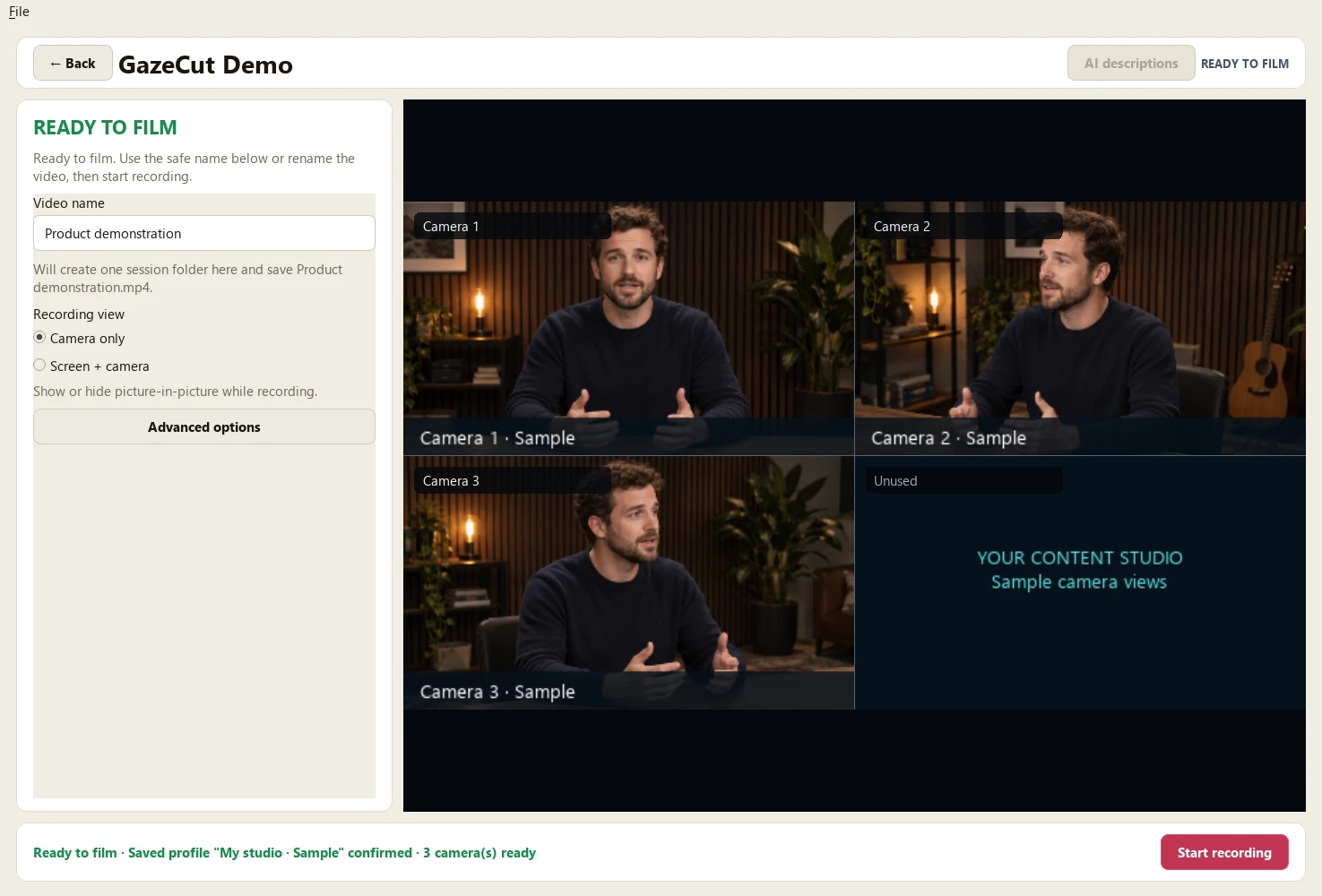
You know your subject. You know the work that goes into filming it alone. Help shape a tool that uses the camera you look toward to direct your edit.
Explore the fitStart with a conversation. No payment or commitment.
A SMALL GROUP, A REAL WORKFLOW
Built with people
who teach and explain.
We want to hear from educators, consultants, course creators and technical presenters who regularly record themselves at a desk or in a small studio.
- You already use, or want to use, more than one camera.
- You can describe the time you spend syncing footage and choosing camera angles.
- You want to try your own workflow and give direct feedback.
The first beta is being prepared for Windows 11 x64 and Ubuntu/Pop!_OS 24.04 x86_64. We'll check your computer, cameras and permission to install before offering a place. These are target platforms, not a promise that every setup will work. macOS is outside this first group.
AN OFFER TO DISCUSS
Help us make
the first version count.
We are exploring a founding group of up to 20 people, with direct onboarding and a feedback conversation about your first finished video.
The terms below are a proposal for discussion. Enquiries are not reservations. No payment is being accepted and no release date is promised.
PROPOSED FOUNDING OFFER
CA$149 one time
- Use it on your setup
- Two device activations.
- Keep the version you buy
- Perpetual use of the purchased major version.
- Help it improve
- 12 months of updates and beta support.
Final availability, support and refund terms will be provided before any purchase. No lifetime-updates promise.
BEFORE YOU DECIDE
A few things
to know.
What does GazeCut do?
Select your cameras and one microphone, calibrate your head direction, then record. GazeCut uses that direction to select camera angles for a finished local MP4 and retains a local source for recovery. It is not precision eye tracking. We'll demonstrate the workflow and discuss the limits of your setup.
Can I download it today?
External downloads are not open. This page starts a conversation about fit. An invitation to evaluate a build will follow only when its installation and release checks are complete.
Do my recordings leave my computer?
Recording and video processing stay on your computer. Optional AI description assistance can send selected transcript text and instructions to a destination you choose, after your approval. It does not upload your video or audio. Core recording does not require a cloud account.
What would you ask of a founder?
Tell us about your current process, try an agreed setup when it is available, and discuss your first finished video. We want honest feedback about installation, camera switching, editing effort and whether the result is useful. Sharing recordings or appearing in marketing is not a condition of taking part.
LET'S START WITH YOUR WORK
What do you
want to make?
A short description is enough. Tell Adam what you record, your operating system, how many cameras you use and the hardest part of your current edit.
Email about the founding betaThis page is being prepared for launch. Founder enquiries will open once the public contact address is confirmed.
The link prepares a draft in your mail app. You review and send it yourself. This website does not submit or store an enquiry.